A source label is not a security test
A page can call a file “official”, use a lock icon or display a realistic-looking version number without demonstrating what was checked. Before trusting a technical claim, ask which app it concerns, which file was examined, when it was examined and where the evidence can be inspected.
A secure connection protects data in transit to that website; it does not prove the file’s origin or behaviour. A familiar icon is similarly weak evidence. See the app identity guide for the difference between a display name and a technical record.
Treat a warning as a reason to pause
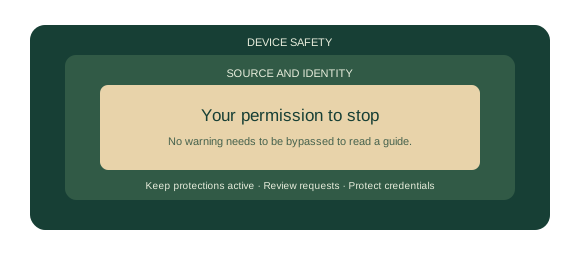
Google Play Protect can check for harmful behaviour, issue warnings and disable or remove harmful apps. Keep it active. A request to switch protection off should not be accepted as a routine step in reading or following an educational guide.
A result from one check is not a permanent guarantee. Software, detection methods and files can change. PattiCheck does not certify an APK or provide instructions for bypassing a blocked installation.
Review what an app can access
Android lets you review an app’s permissions in device settings. Menu names vary by device and Android version. Look for the app’s permissions and consider whether each requested capability is necessary for the feature you actually use.
Location, contacts, microphone, camera and SMS access have different implications. A request should have a clear purpose; a vague promise of a reward is not an explanation. You can decline a request rather than granting broad access under pressure.
Changing permissions can affect features. That inconvenience does not make an unexplained request automatically appropriate.
Understand what each check can and cannot say
| Check | Useful limit |
|---|---|
| File size | Describes a file; does not prove that it is safe. |
| SHA-256 match | Shows equality with the chosen reference file; the reference must itself be trustworthy. |
| Signature verification | Checks signing validity; publisher identity still needs a credible basis. |
| Scan result | Reflects a particular check at a particular time, not an unlimited guarantee. |
| System requirement | May describe a technical minimum; it is not a promise of smooth operation on every device. |
Combining several checks is better than treating one reassuring number as a certificate. Even then, keep the conclusion within the scope of the evidence.
If something feels wrong
Stop interacting with the suspicious page or app. Avoid giving it more permissions or credentials. If you believe an account is affected, use a separate trusted route to review its security. If financial details are involved, contact the financial provider through a channel you independently know.
This guide offers general safety context, not a forensic assessment of your phone. A specific warning or suspected compromise may require help from the device provider or an appropriate security professional.
Sources & reading notes
- Google: how Play Protect checks for harmful apps ↗
- Android Help: app permissions and controls ↗
- Android Developers: APK signature verification ↗
Sources checked 27 October 2026. References support the stated context, not an endorsement of an app or service. How we use sources.