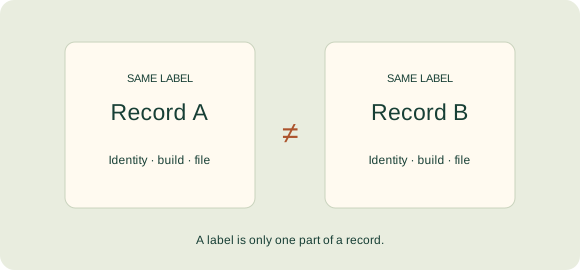
Why a familiar version number can conceal different APK builds
When you encounter one web page or download source stating “version 1.0” and another displaying that exact same release label, it is easy to assume both refer to one identical file. However, jumping to that conclusion goes far beyond what the evidence shows.
A version label often serves as a marketing name, a user-facing string, or text copied into a website banner. Before comparing two files, always verify the origin of each data point. A casual marketing string on a website and a measured metadata field from an APK analysis should never be silently treated as equivalent records.
How to separate a release label from an Android build record
| Field | Role in the comparison |
|---|---|
| App identity | Defines which official publisher and package name the statement concerns. |
| Version name | The human-readable version string displayed to users in app settings. |
| Version code | An internal integer build identifier tracked in an app’s release history. |
| File fingerprint | Identifies the exact cryptographic bytes of the specific file examined. |
| Check date | Documents precisely when and how the observation or verification was conducted. |
Official Android development guidelines treat version names and version codes as distinct parameters. Neither a public version label nor an internal build code should ever be compared across unrelated package names as if they belonged to a single universal numbering system.
A clear, hypothetical analogy for APK version labels
Consider two printed documents on your desk, both titled “Guide Edition 1.” One document includes a recently corrected diagram, while the other does not. Although the cover title remains identical, the actual contents differ. Verifying that change requires a direct document-to-document comparison rather than trusting the cover.
This analogy illustrates the inherent limits of relying solely on a label. It is not a claim about any specific Teen Patti Master build, nor is it proof that a particular APK file was modified. An authentic file investigation always demands inspecting the actual files and verifiable system records.
What file differences and similarities do not prove
Finding a different file size does not, by itself, prove malicious tampering or security risks. Conversely, an identical file size does not guarantee identical contents, and a matching display name does not establish common ownership. These observations remain useful analytical clues only when tied to verified package identities and reliable inspection methods.
Similarly, observing a higher-looking version number published by a different developer does not mean it is an official update to the app you are currently reviewing. The relationship between different releases must be established with evidence, never inferred purely from the sequence of digits.
How to describe app evidence accurately without guesswork
Always prefer precise, narrow statements—such as “this record describes one observed file on the specified date”—over broad generalizations like “all copies of this version are fully verified.” If information came solely from a publisher's promotional claim, state that clearly. If no APK file was directly examined, avoid terms like “extracted” or “tested.”
Continue reading with our comprehensive APK information guide to explore standard package fields, or learn why a file hash is not a safety certificate.
Sources & reading notes
- Android Developers: Version names, codes and platform requirements ↗
- Android Developers: Application and file metadata analysis ↗
Sources checked 27 October 2026. References support the stated context and do not constitute an endorsement of any third-party app or service. How we use sources.